

Clean Control — Platform Documentation
Everything your company gets through the MyCleanerAI ecosystem: admin portal, cleaner app, and how they work together.
1. Introduction — What You're Getting
MyCleanerAI delivers an end-to-end Clean Control platform for your cleaning business. When you work with us, your company receives:
- Admin Portal (Clean Control — Manage) — A web-based dashboard where you oversee jobs, clients, cleaners, inventory, compliance, and analytics.
- Cleaner Application — A dedicated app (mobile-friendly) used by your cleaning staff to view assignments, sign in/out at job sites, upload before/after photos, log inventory usage, and complete safety checks.
- Unified data — Jobs created in the admin portal appear in the cleaner app; status updates and photos from the field flow back to the admin in real time.
This document explains each part of the system and how they connect so your team can use the platform with confidence.
2. How Your Business Connects
Access Points
- Public website (mycleanerai.com) — Customers learn about services, book residential or commercial cleaning, and contact you. This is your front-facing presence.
- Admin portal (Clean Control) — You and your office staff log in to manage operations. Typical URL: your manage subdomain or path (e.g. manage.mycleanerai.com or similar). Secure login with username/password.
- Cleaner app — Cleaners log in with credentials you create in the admin portal. They use it on phones or tablets in the field.
- Client portal — Optional client login (e.g. client.mycleanerai.com) so customers can view their profile and bookings.
How the Pieces Connect
One shared database and one platform: no double entry. What you schedule is what cleaners see; what they do is what you report on.
3. Admin Portal (Clean Control)
The Admin Portal is the central hub for your operations. It is branded as Clean Control with a “Manage” badge. Below is what each area does.
Dashboard
At-a-glance metrics: jobs today, active cleaners, today’s revenue, open issues, low stock items, total clients. You also see recent jobs (with client, cleaner, status, scheduled time), quick actions (Create Job, AI Assign, Live Map, Low Stock, Analytics, Compliance), and revenue overview (today, this week, this month).
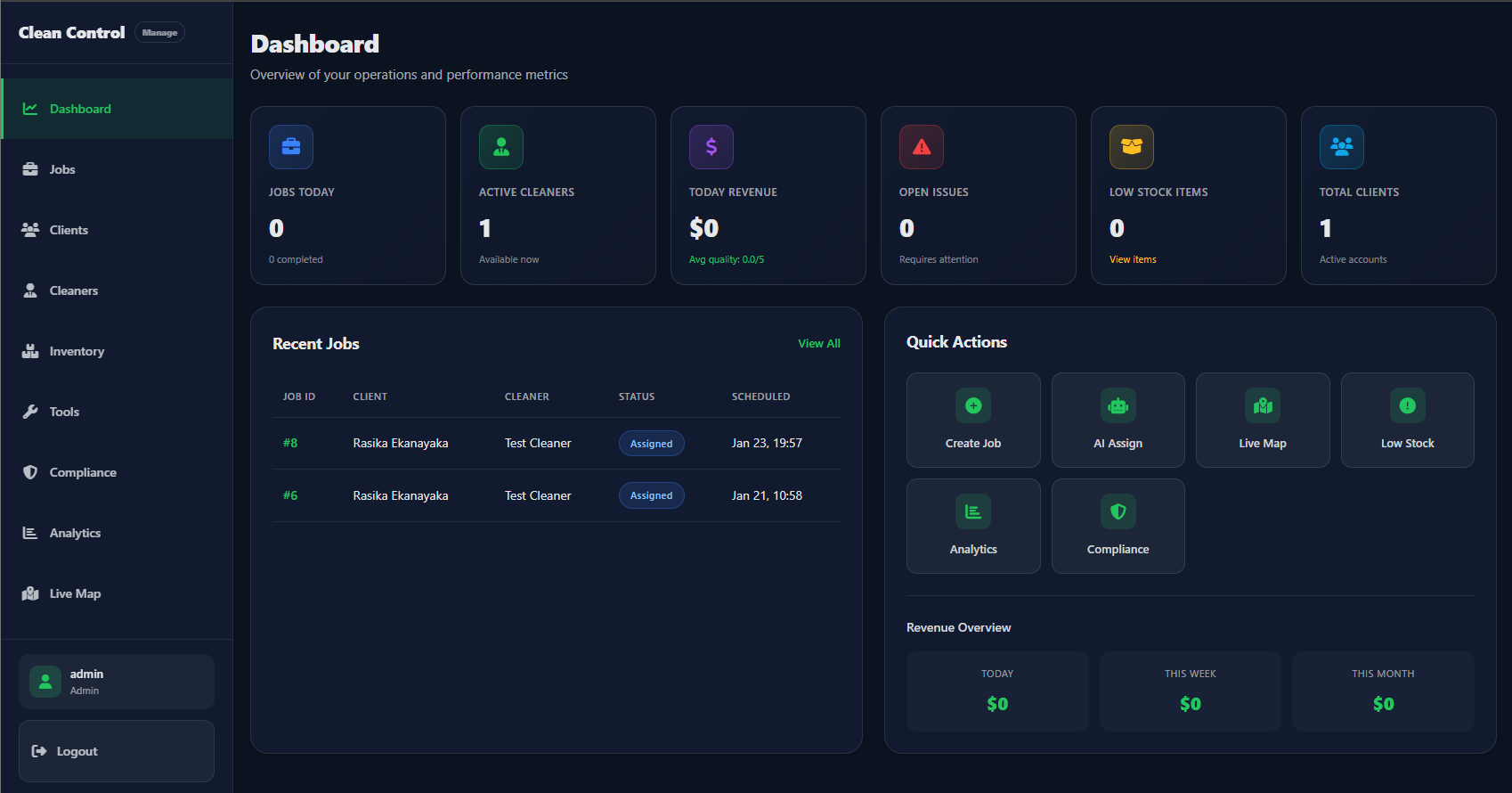
Admin Dashboard — Operations overview and quick actions.
Jobs
Create and manage every cleaning job. You select client, job type (one-time or recurring), service package, add-ons, scheduled date/time, address, and notes. You can assign jobs to cleaners manually or use AI Assign All to distribute pending jobs to available cleaners. Bulk actions let you update multiple jobs at once. Each job shows ID, client, cleaner, scheduled time, status, and price.
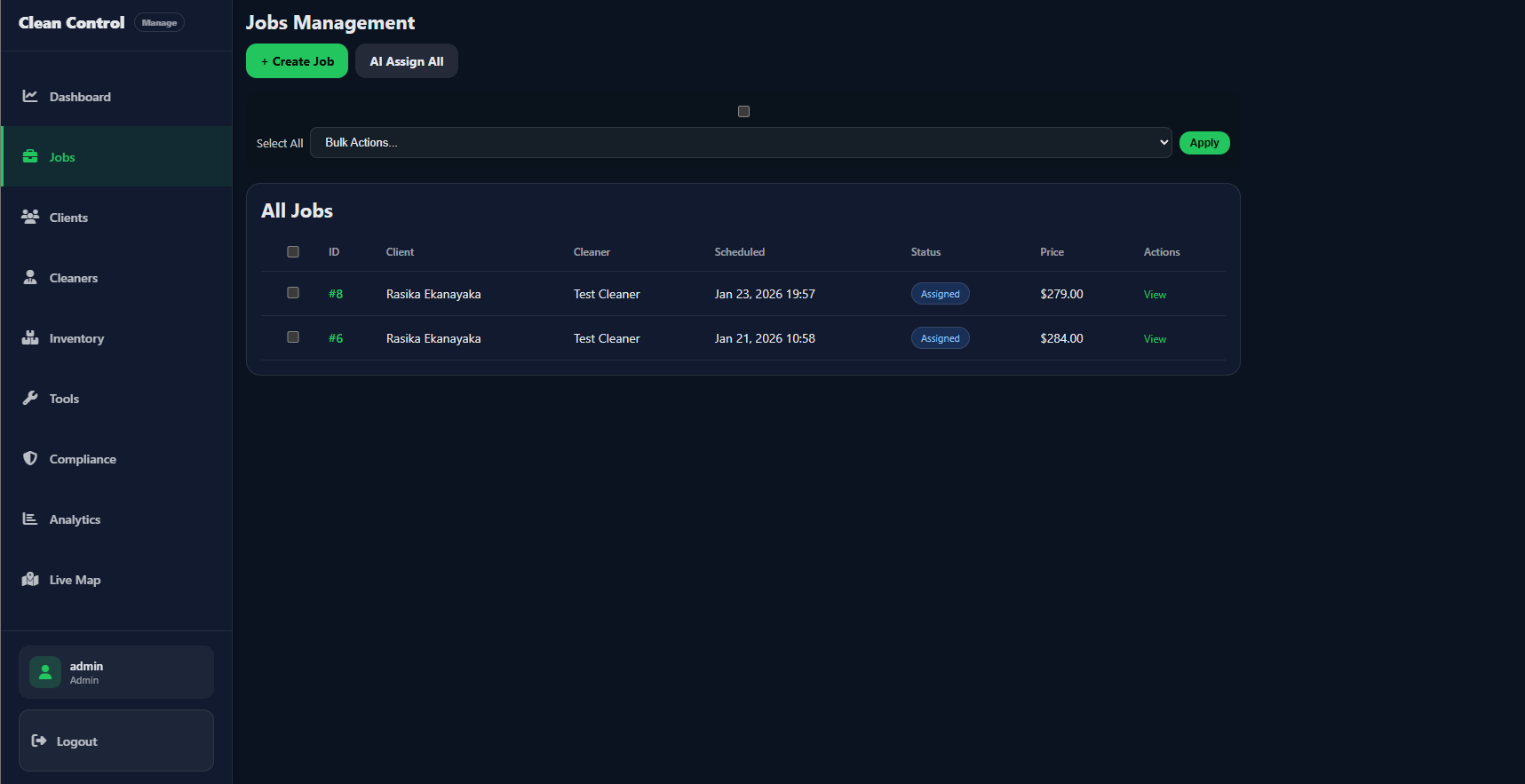
Jobs Management — All jobs with status and actions.
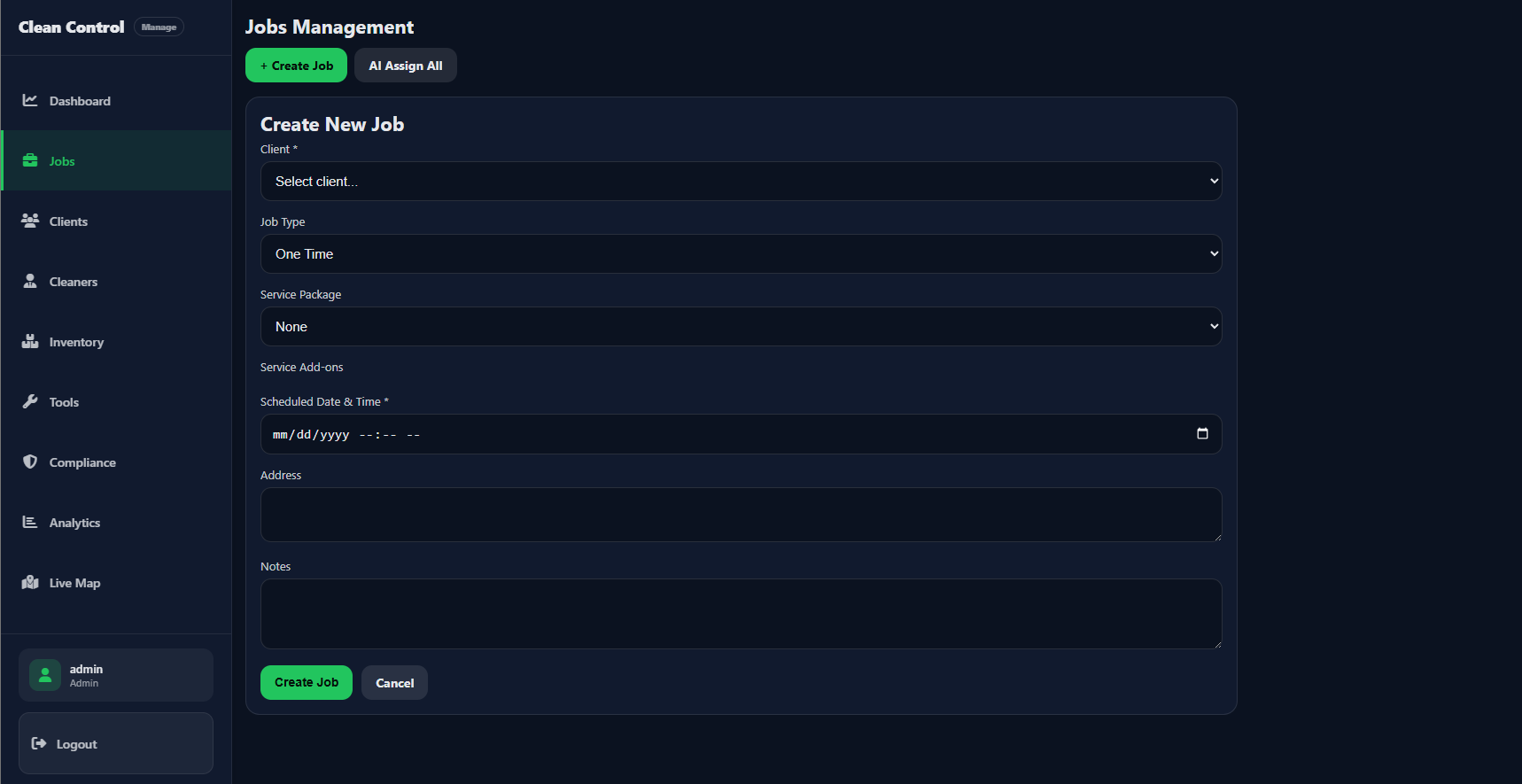
Create New Job — Client, package, schedule, and address.
Clients
Manage customer records: name, email, phone, address, type (residential/commercial), notes. View per-client job history and job photos. Option to report or log disputes for compliance.
Cleaners
Add and manage cleaning staff: name, email, phone, skills, certifications, availability. Assign jobs to cleaners, view their stats (total/completed/in-progress/assigned jobs, average quality, today/month revenue). Cleaners you add here are the ones who log in to the Cleaner Application.
Inventory
Track cleaning supplies and equipment: items, current stock, minimum thresholds, reorder points. Alerts for low stock. Usage logged from the cleaner app is reflected here so you can plan restocking.
Tools
Manage equipment (e.g. vacuums, scrubbers). Cleaners check tools in/out from their app; you see assignments and maintenance status in the admin.
Compliance
Generate and store reports: WHS (work health & safety), safety audits, eco-tracking. Disputes and hazard reports from cleaners appear here. Keeps your business audit-ready.
Analytics
Revenue and performance over time: total revenue, jobs completed, average job value, cleaner utilization, client retention. Revenue by day/week/month, job trends, and cleaner performance. Optional forecasting.
Live Map
Real-time view of active jobs and cleaner locations (where GPS is shared). Alerts for overdue jobs or jobs in progress for too long. Helps with dispatch and supervision.
4. Cleaner Application
The Cleaner Application is used by your field staff. It is optimized for mobile and tablet so cleaners can work from the job site.
What Cleaners See and Do
- My Jobs (Dashboard) — List of their assigned and in-progress jobs with client name, address, package, scheduled time, and status (Pending, Assigned, In progress). Stats: pending, assigned, in progress, completed today.
- Job detail — Full job info: client, address, phone, package, notes. Actions: Sign In (with optional location and entry photo), Sign Out (with optional exit photo), Complete. Upload before/after/issue photos; the system can provide simple AI-style feedback on photo quality.
- Inventory — View current stock levels and low-stock warnings. Log usage per job (item + quantity); this reduces stock in the admin inventory.
- Tools — Check out and check in equipment. Report issues (e.g. repair needed); tools can be marked for maintenance in the admin.
- Safety — Confirm PPE (personal protective equipment) and report hazards (description, location, severity). These create compliance records in the admin.
Cleaners only see their own jobs and their own tool/inventory usage. All updates (sign-in, sign-out, completion, photos, usage, safety) sync to the Admin Portal so you have one source of truth.
How They Log In
You create cleaner accounts in the Admin Portal (Cleaners section). Cleaners use the same credentials to log in to the Cleaner Application (dedicated cleaner login URL). No separate signup — you control who has access.
5. Benefits for Your Company
Summarised benefits of the full system:
Centralised control
One admin portal for jobs, clients, cleaners, inventory, tools, compliance, and analytics. No spreadsheets or separate tools.
Faster scheduling
Create jobs in seconds; use AI Assign to distribute work. Bulk actions save time when updating many jobs.
Real-time visibility
Live Map and job status show where work stands. Cleaner sign-in/out and photos give proof of attendance and completion.
Proof and quality
Before/after and issue photos linked to jobs. Optional photo-quality feedback supports consistent documentation for clients and disputes.
Data-driven decisions
Analytics on revenue, utilization, and trends. Compliance reports for WHS, safety audits, and eco-tracking.
Inventory and tools
Track stock and get low-stock alerts. Cleaners log usage and tool check-in/out so you know what’s where and when to reorder or repair.
Compliance and safety
PPE confirmations and hazard reports from the field feed into one compliance area. Generate reports for auditors or management.
One connected system
Website for customers, admin for you, app for cleaners — all aligned. What you schedule is what gets done and reported.
6. System Screenshots
Captions below describe each screenshot. Order: Admin Portal (Dashboard, Jobs, Create Job, then Clients, Cleaners, Inventory, Tools, Compliance, Analytics, Live Map), Client Portal, Cleaner app (job details, My Jobs, photo/AI/inventory), then public website (residential hero and booking modal).
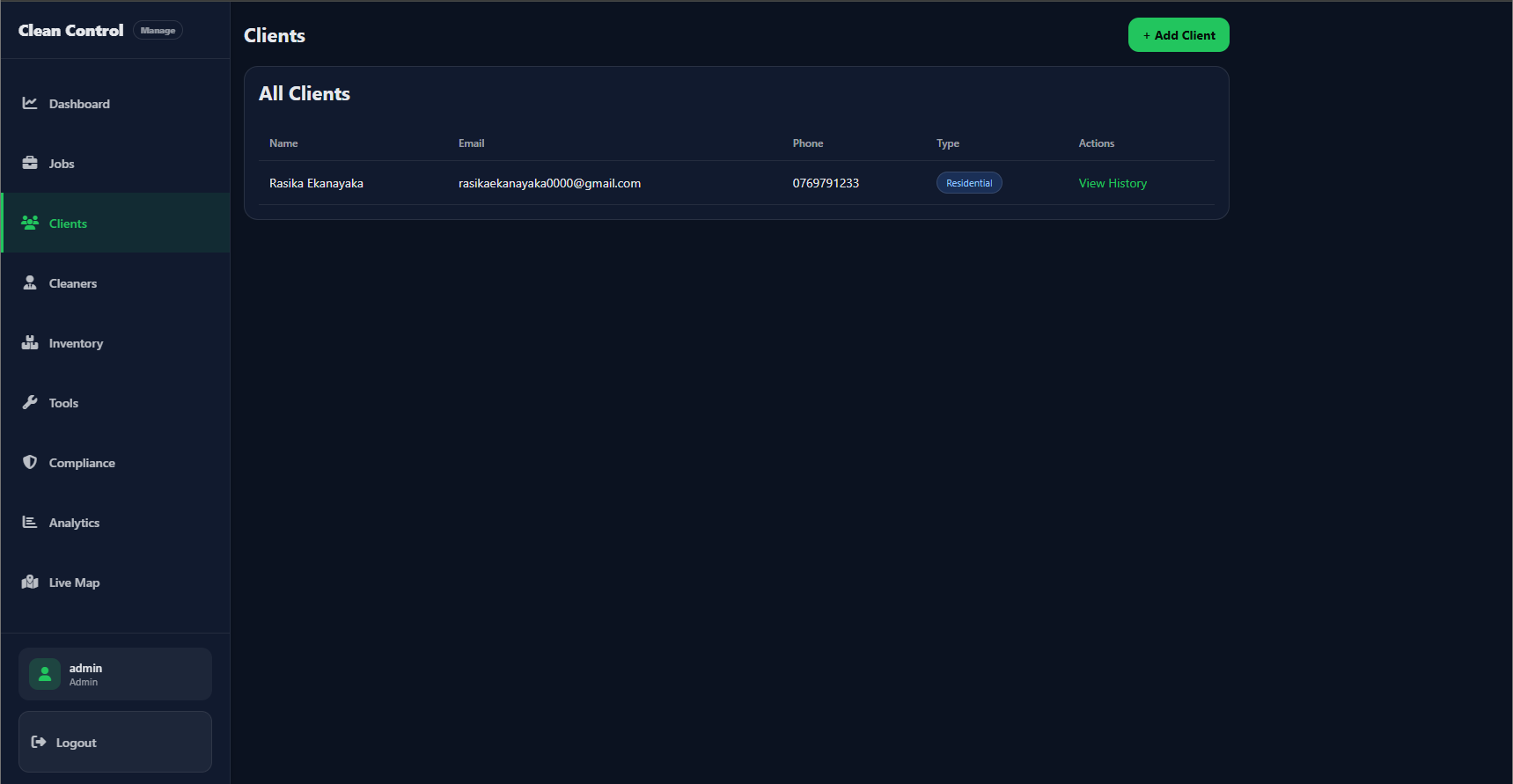
Admin — Clients. All Clients table with name, email, phone, type (e.g. Residential), and View History. Add Client button top right.
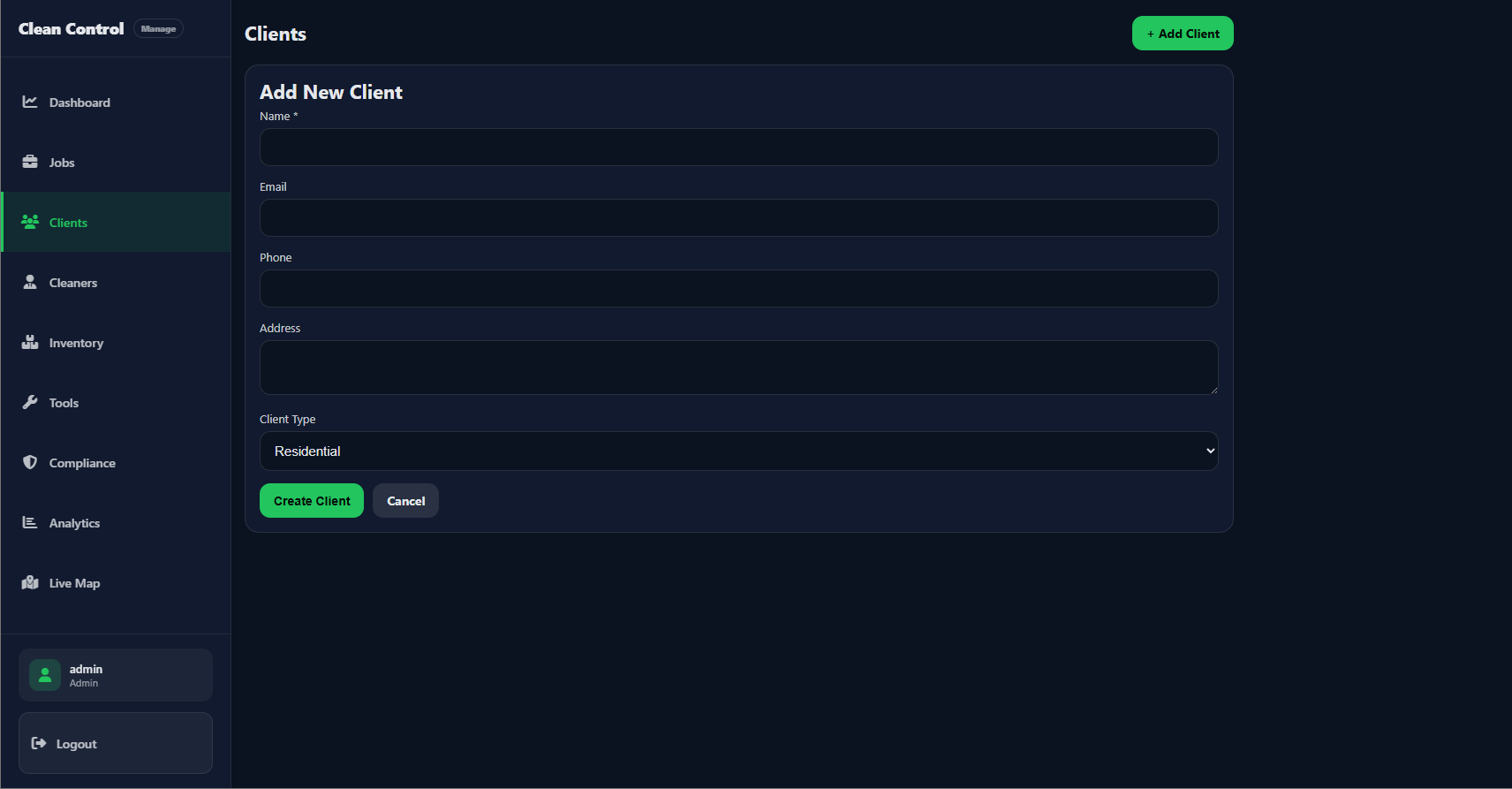
Admin — Add New Client. Form: Name, Email, Phone, Address, Client Type (Residential/Commercial). Create Client and Cancel buttons.
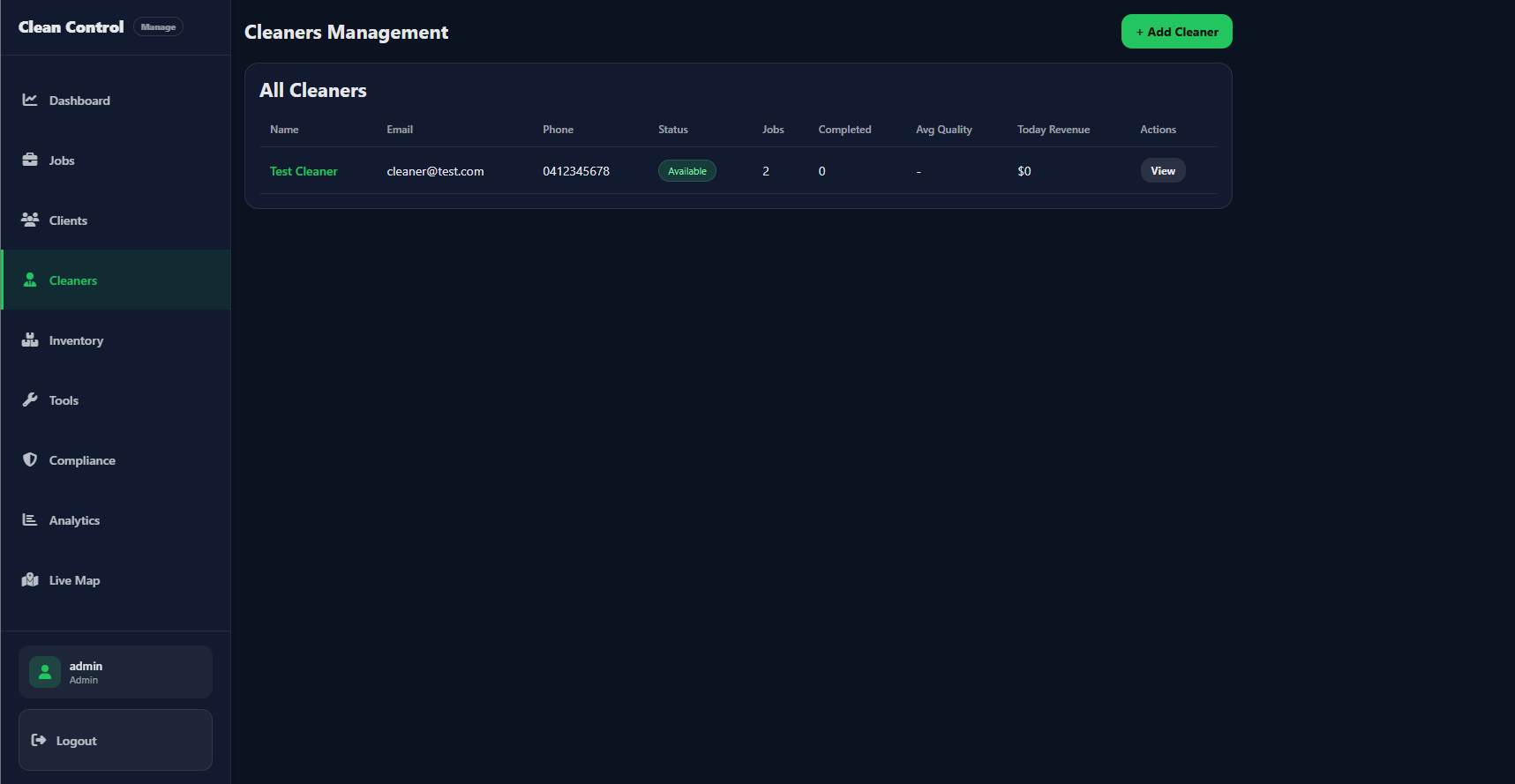
Admin — Cleaners Management. All Cleaners table: Name, Email, Phone, Status (Available), Jobs count, Completed, Avg Quality, Today Revenue, View action.
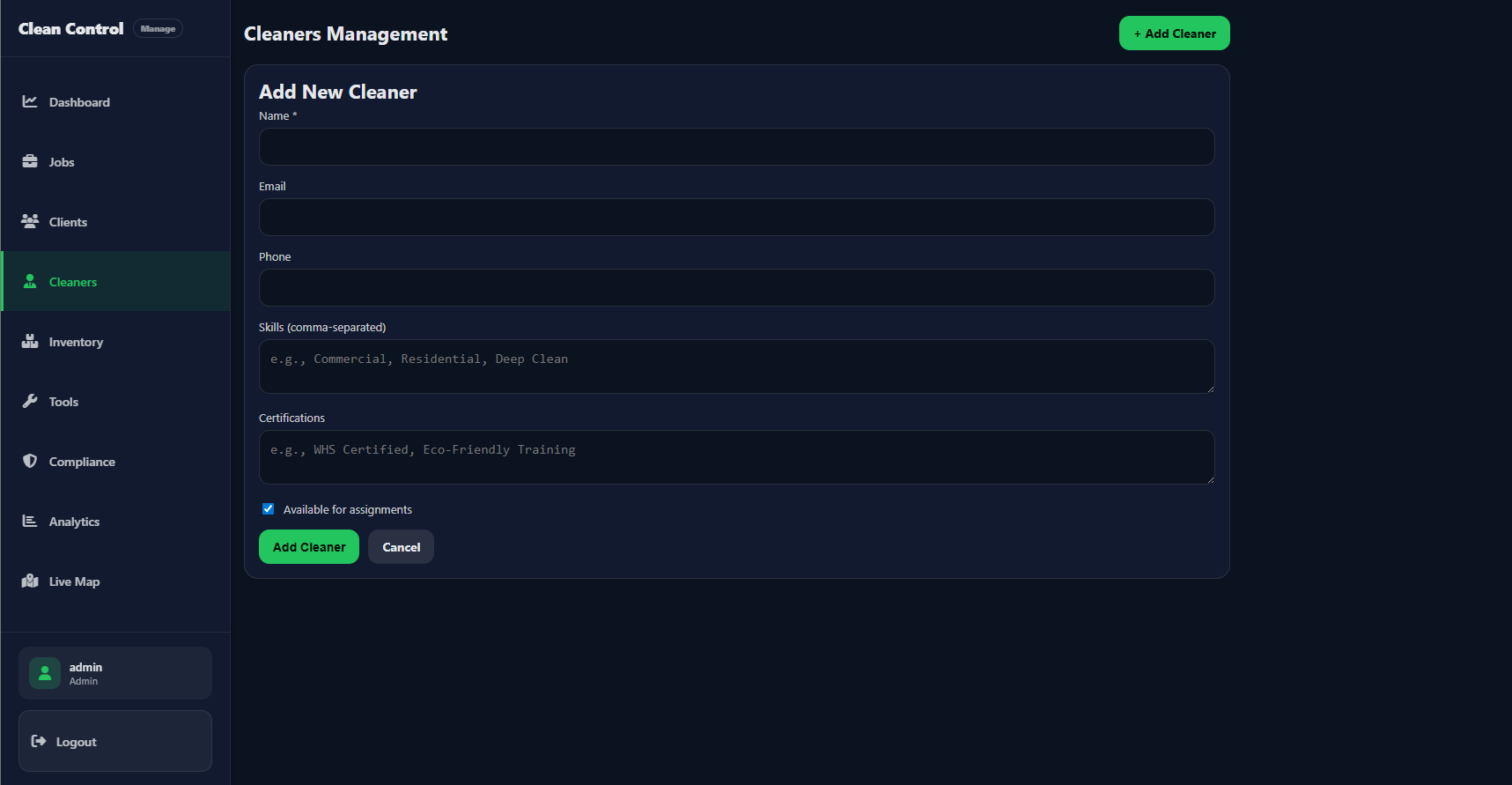
Admin — Add New Cleaner. Form: Name, Email, Phone, Skills (comma-separated), Certifications, “Available for assignments” checkbox. Add Cleaner and Cancel.
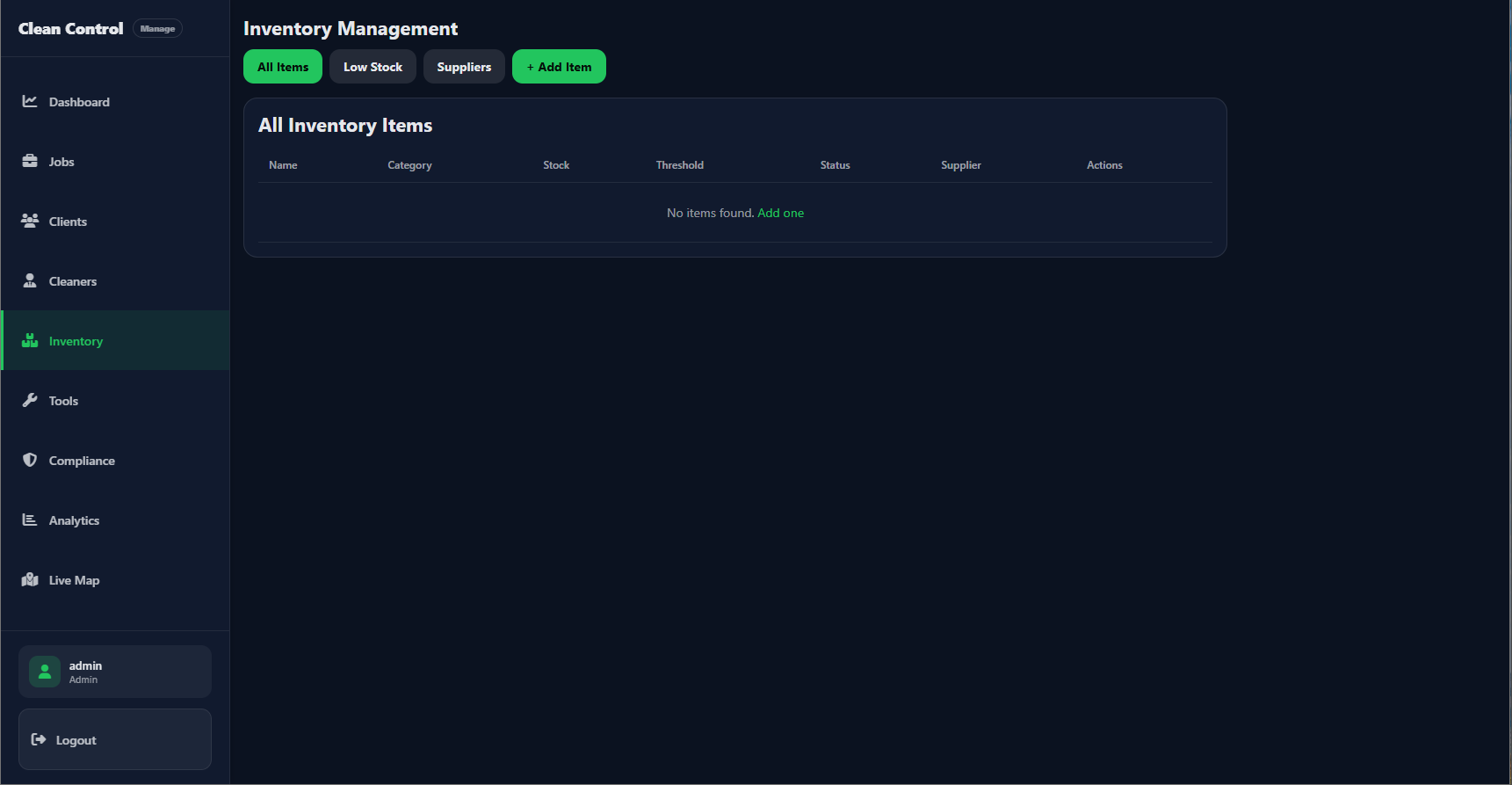
Admin — Inventory Management. Tabs: All Items, Low Stock, Suppliers; + Add Item. Table: Name, Category, Stock, Threshold, Status, Supplier, Actions.
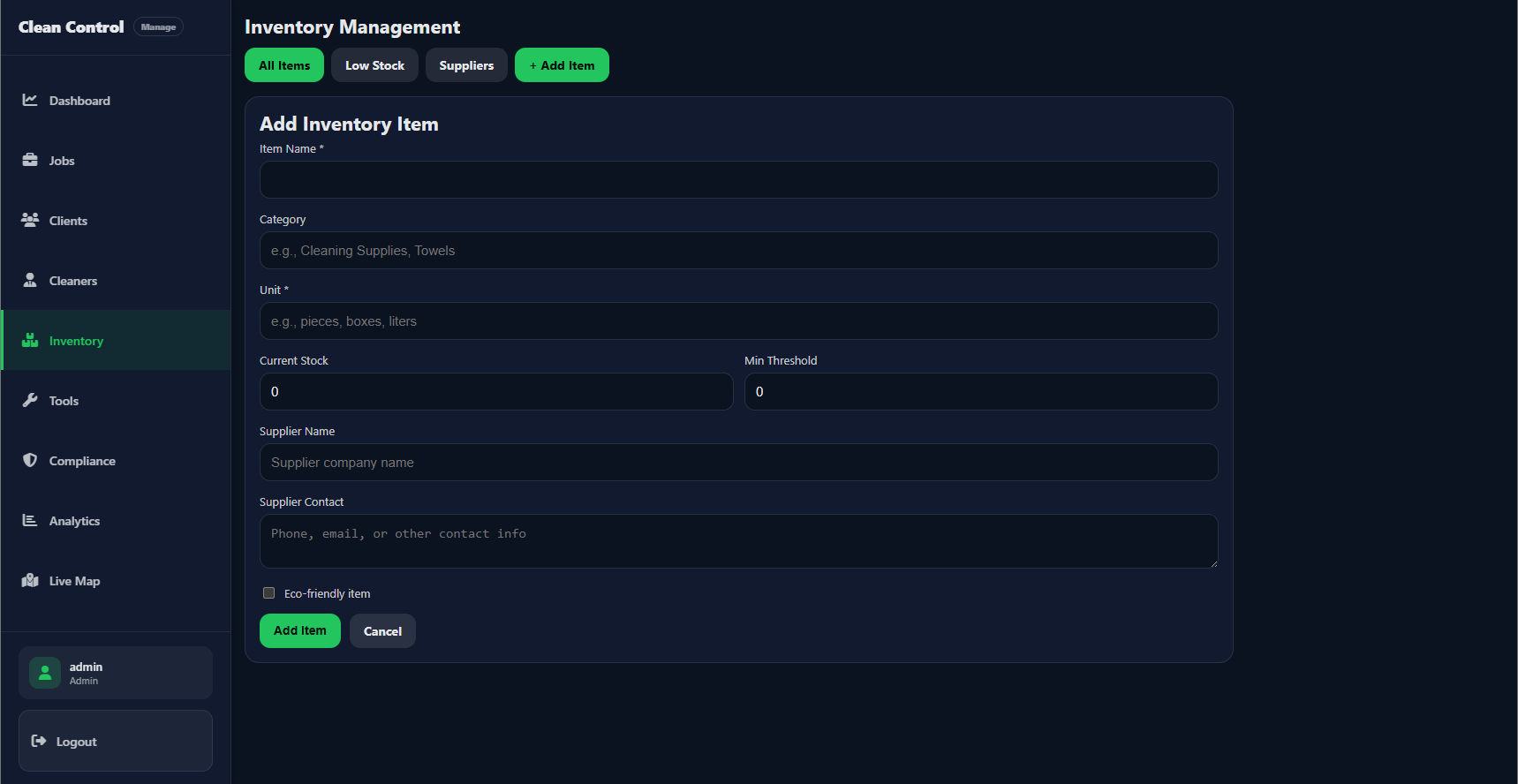
Admin — Add Inventory Item. Form: Item Name, Category, Unit, Current Stock, Min Threshold, Supplier Name/Contact, Eco-friendly checkbox. Add Item and Cancel.
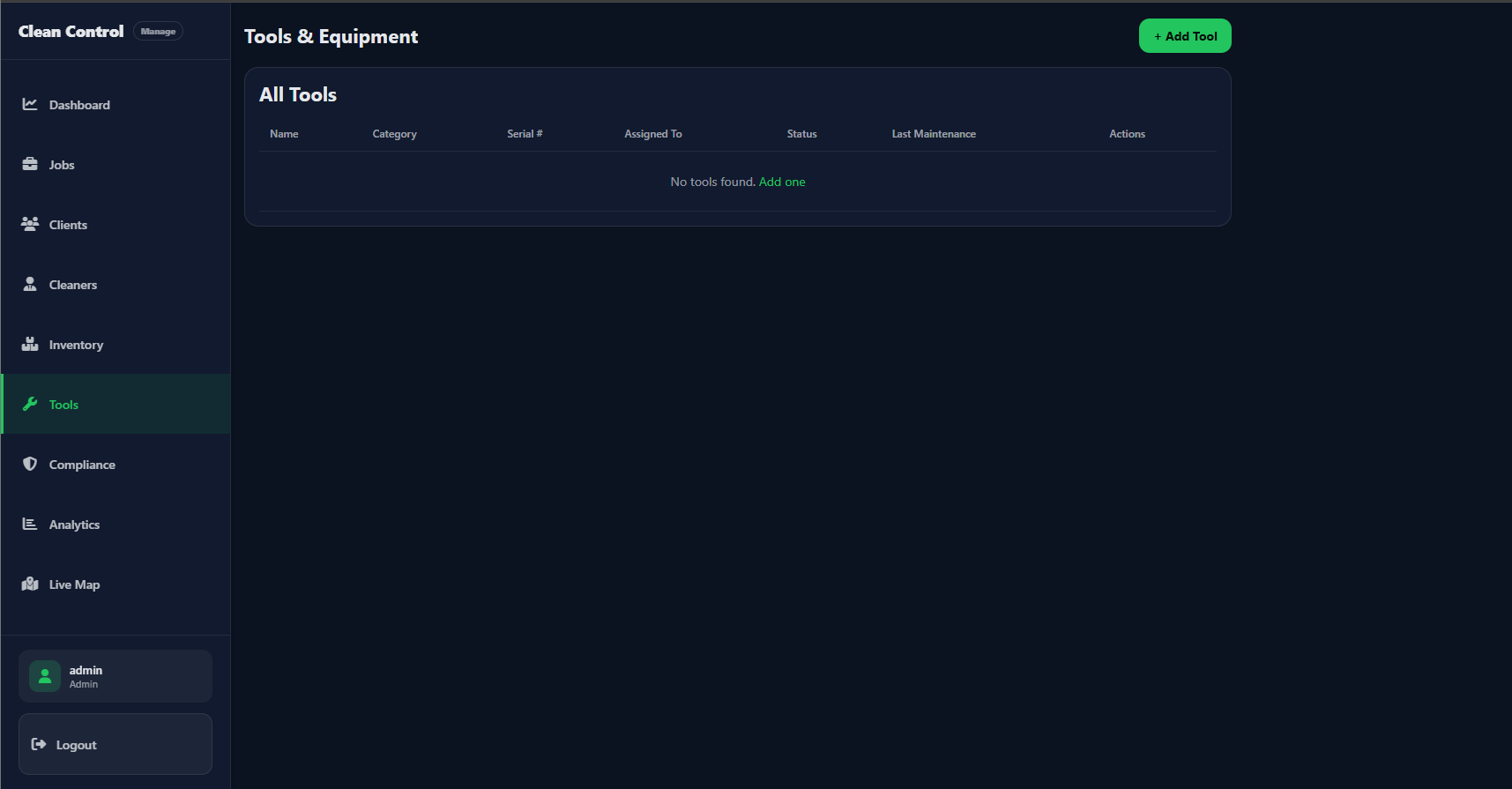
Admin — Tools & Equipment. All Tools table: Name, Category, Serial #, Assigned To, Status, Last Maintenance, Actions. + Add Tool button.
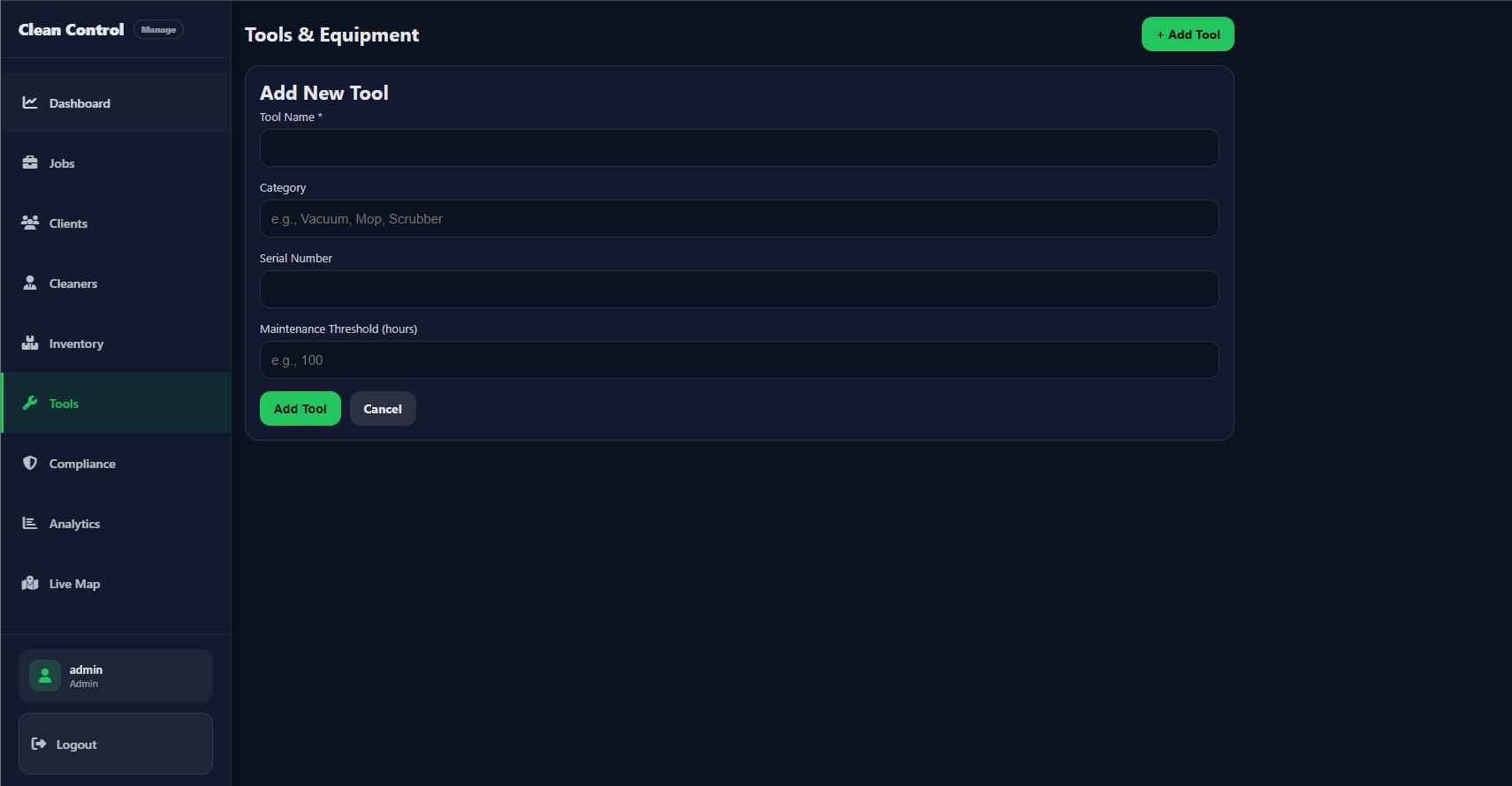
Admin — Add New Tool. Form: Tool Name, Category (e.g. Vacuum, Mop), Serial Number, Maintenance Threshold (hours). Add Tool and Cancel.
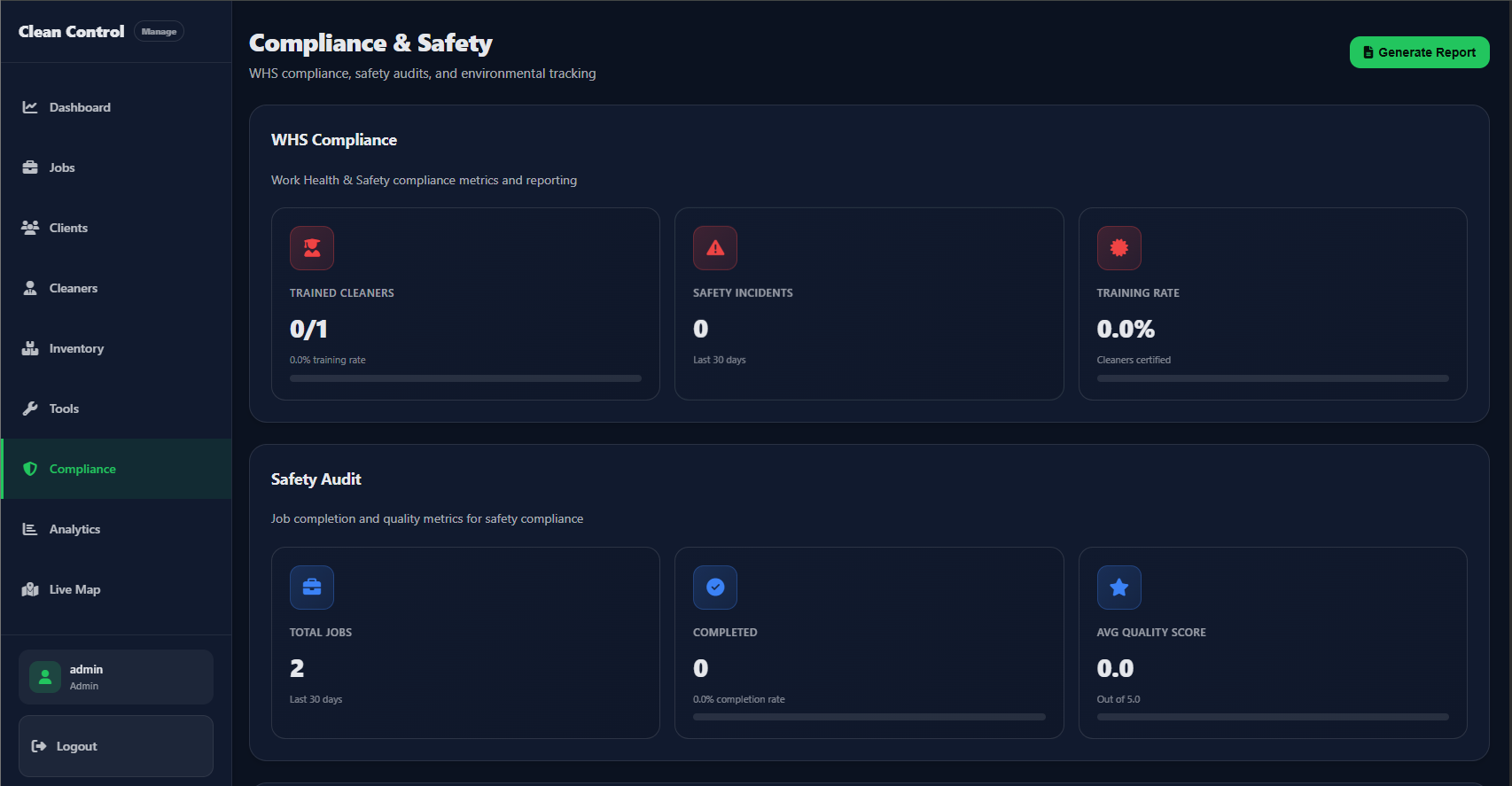
Admin — Compliance & Safety. WHS metrics (Trained Cleaners, Safety Incidents, Training Rate) and Safety Audit (Total Jobs, Completed, Avg Quality Score). Generate Report button.
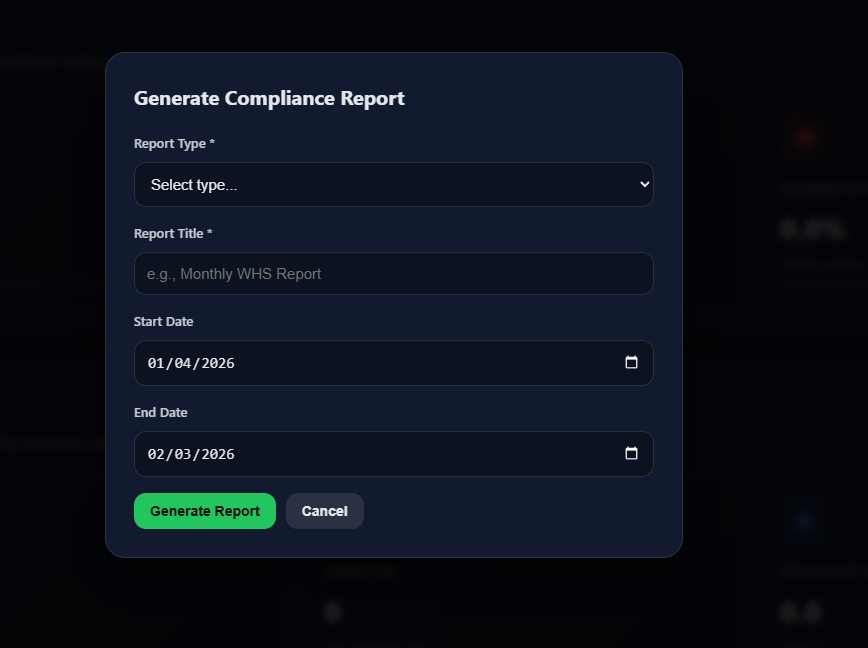
Admin — Generate Compliance Report. Modal: Report Type, Report Title (e.g. Monthly WHS Report), Start Date, End Date. Generate Report and Cancel.
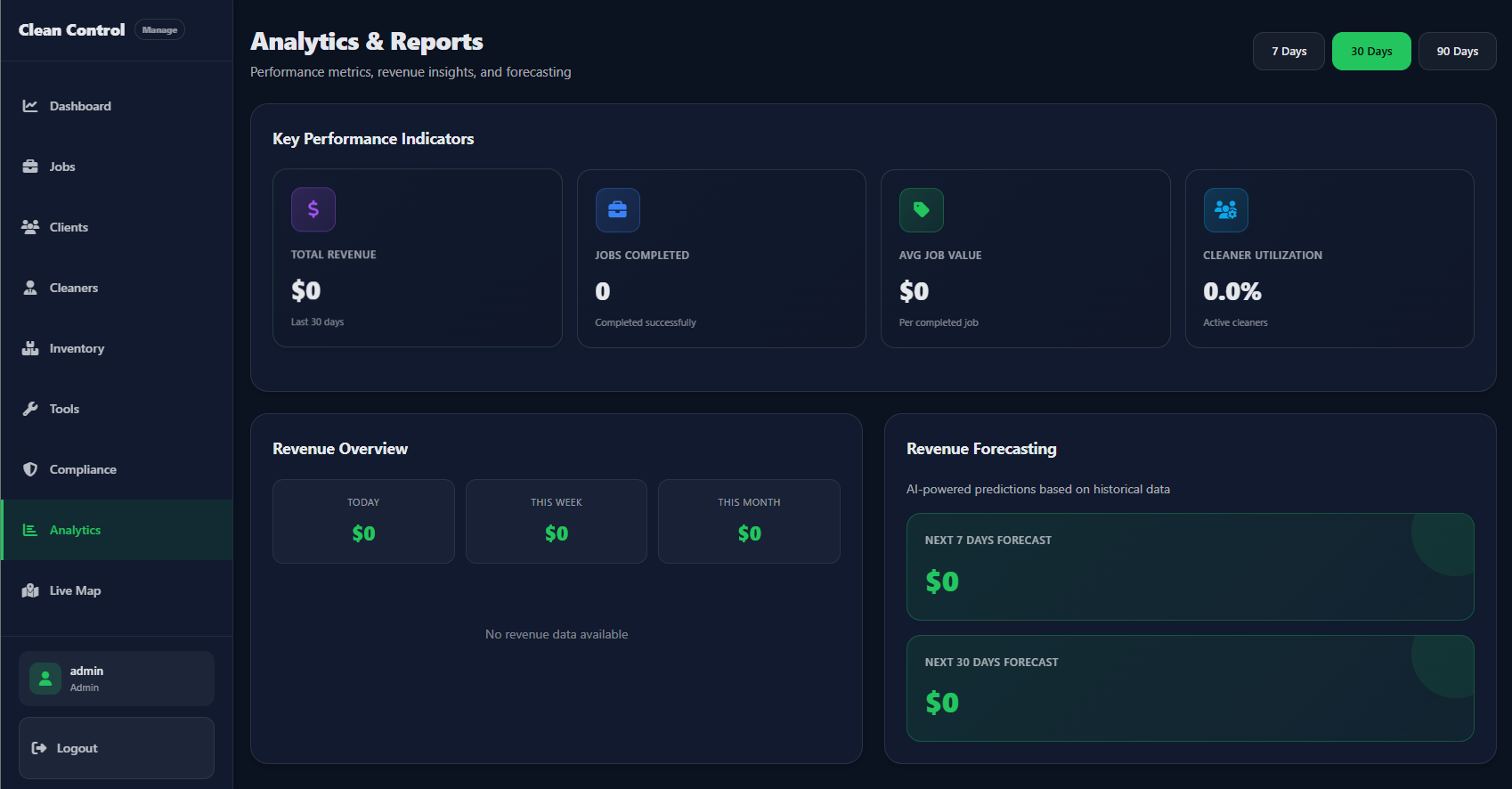
Admin — Analytics & Reports. KPIs: Total Revenue, Jobs Completed, Avg Job Value, Cleaner Utilization. Period filters (7/30/90 Days). Revenue Overview and AI Revenue Forecasting.
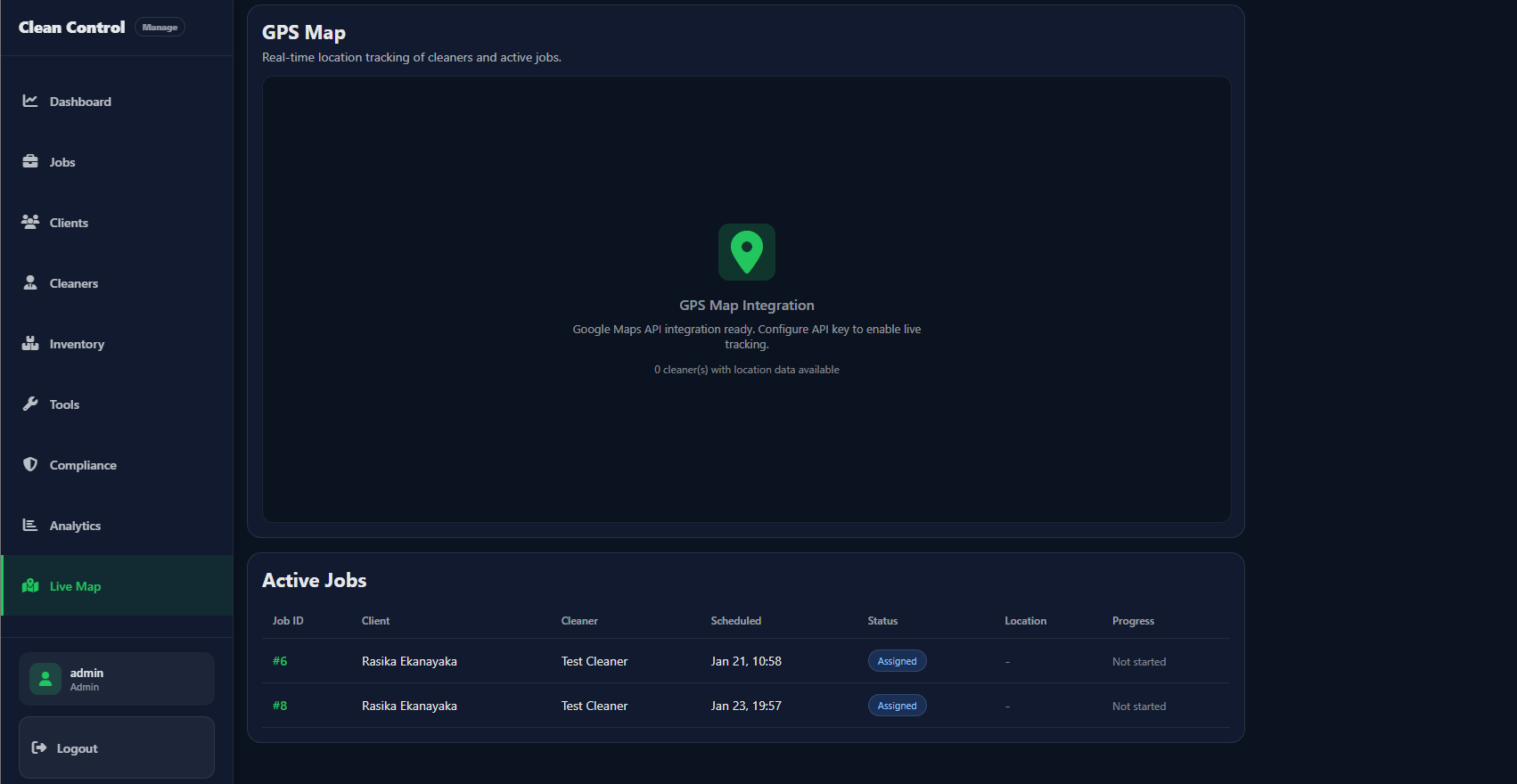
Admin — Live Map. GPS Map (real-time cleaner/job tracking; Google Maps API). Active Jobs table: Job ID, Client, Cleaner, Scheduled, Status, Location, Progress.
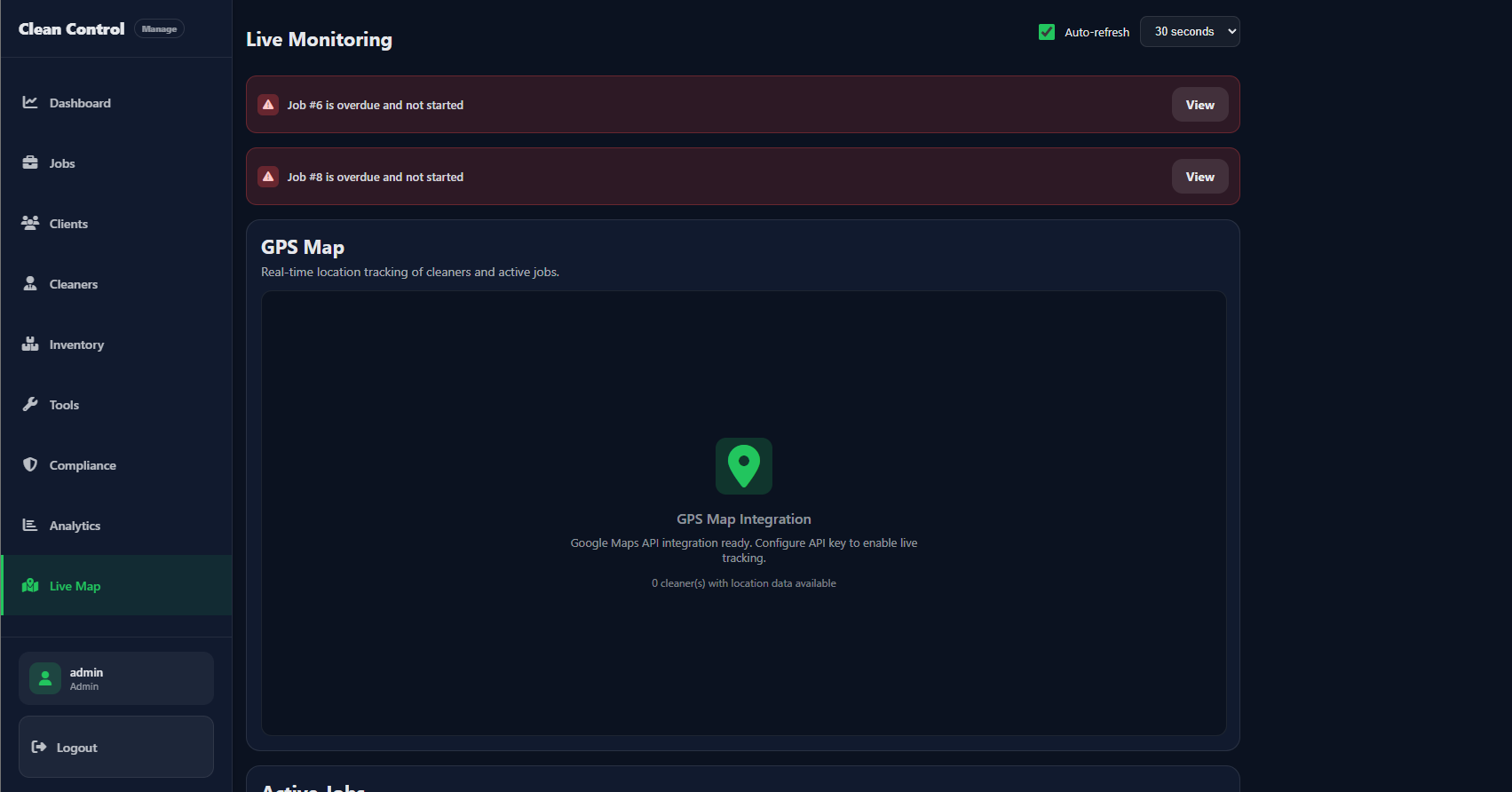
Admin — Live Monitoring. Auto-refresh, overdue job alerts (e.g. “Job #6 is overdue and not started”), GPS Map integration status, Active Jobs list.
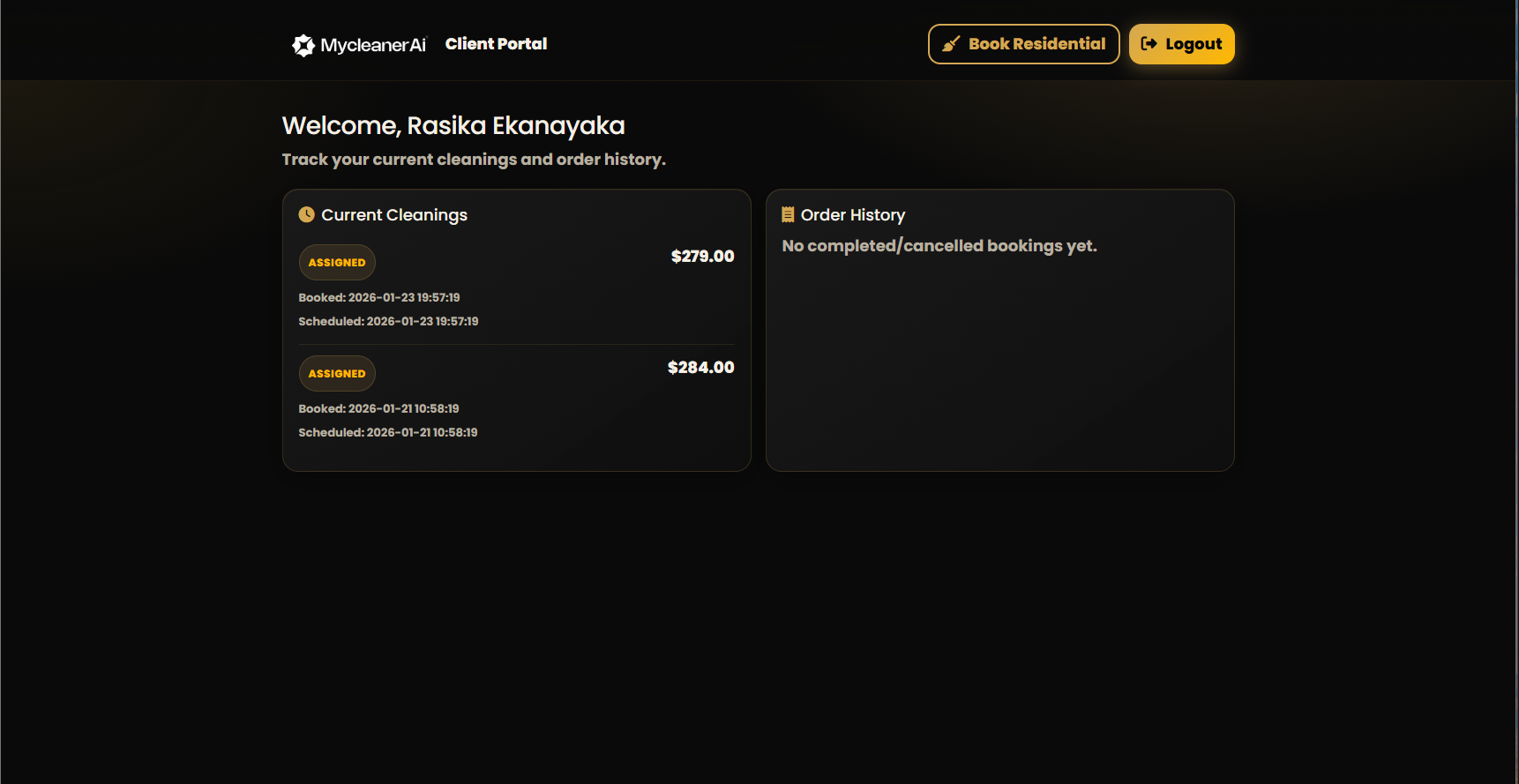
Client Portal. Welcome message, Current Cleanings (status, cost, booked/scheduled dates), Order History. Book Residential and Logout buttons.
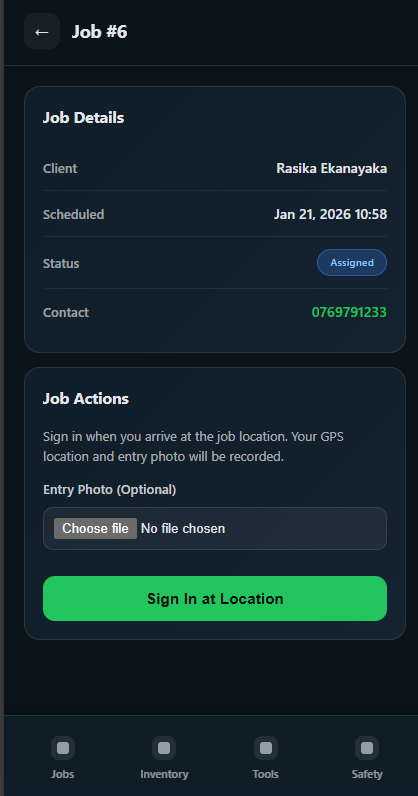
Cleaner app — Job details. Job #6: Client, Scheduled, Status (Assigned), Contact. Job Actions: Sign in at location (GPS + optional entry photo). Bottom nav: Jobs, Inventory, Tools, Safety.
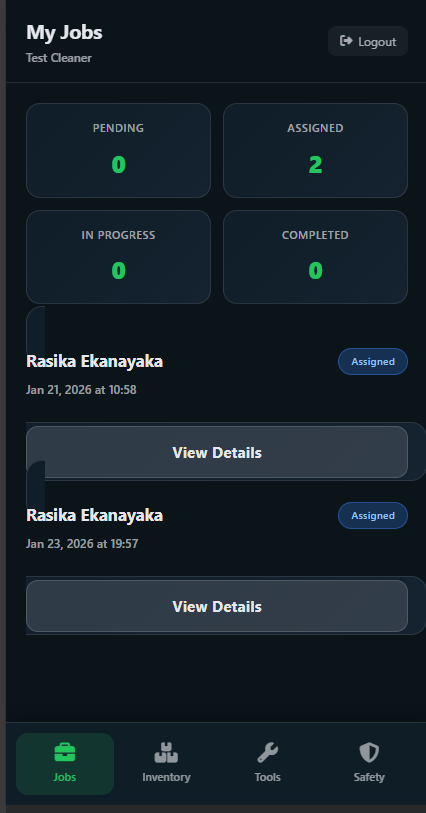
Cleaner app — My Jobs. Status cards (Pending, Assigned, In Progress, Completed). List of assigned jobs with client, date/time, Assigned badge, View Details. Bottom nav: Jobs, Inventory, Tools, Safety.
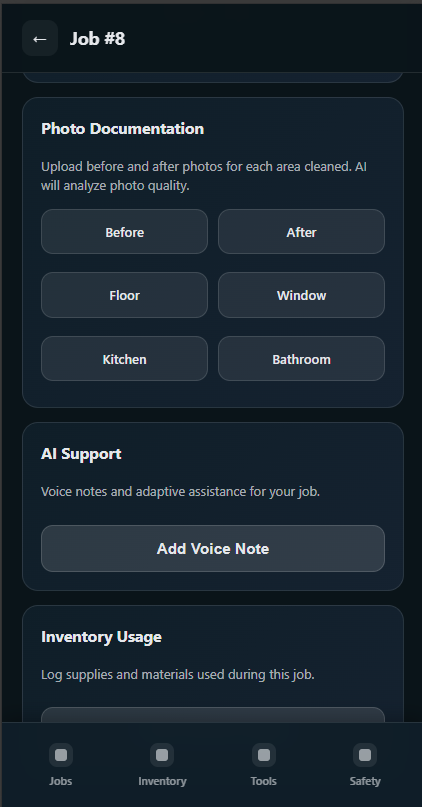
Cleaner app — Job #8. Photo Documentation (Before/After by area; AI analyzes quality). AI Support (voice notes). Inventory Usage (log supplies). Bottom nav: Jobs, Inventory, Tools, Safety.
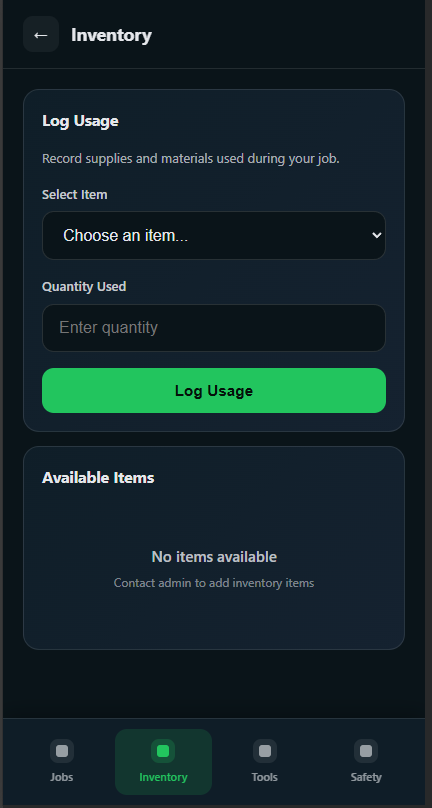
Cleaner application. Field staff view for jobs, inventory, or tools.
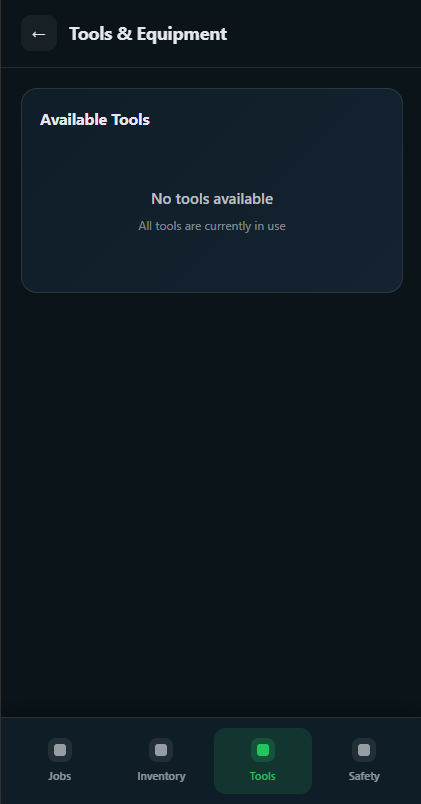
Cleaner application. Mobile-friendly interface for job or inventory actions.
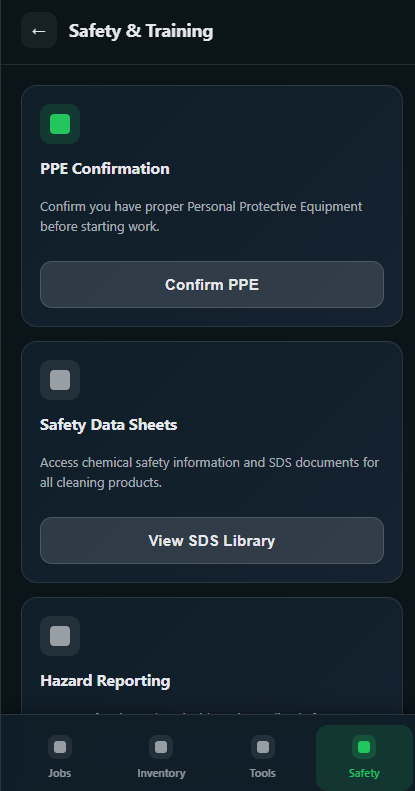
Cleaner application. Job detail or inventory/tools screen.
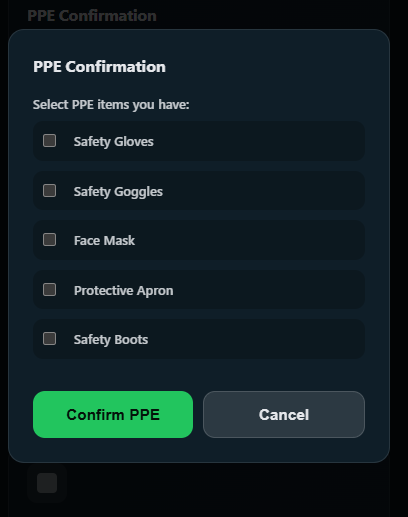
Cleaner application. Field view for completing or documenting a job.
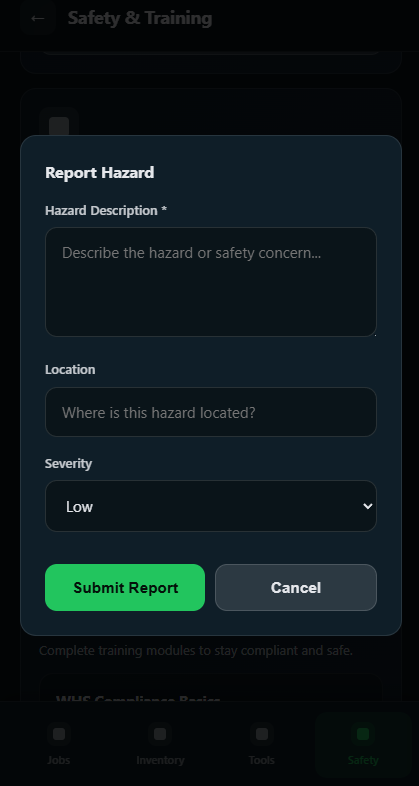
Cleaner application. Jobs, Inventory, Tools, or Safety section.
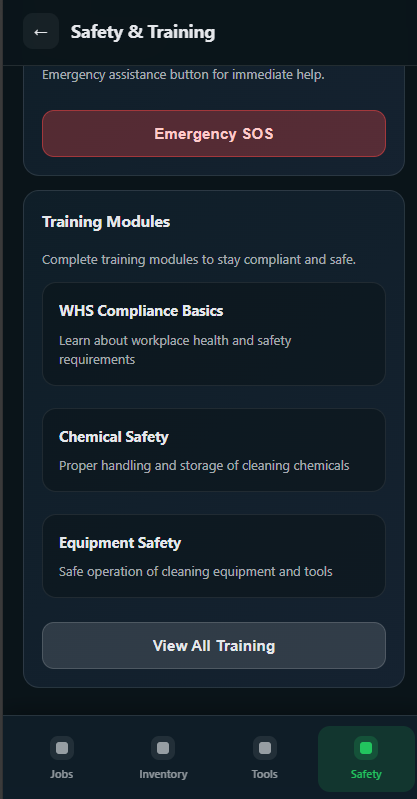
Cleaner application. Mobile interface for cleaners.
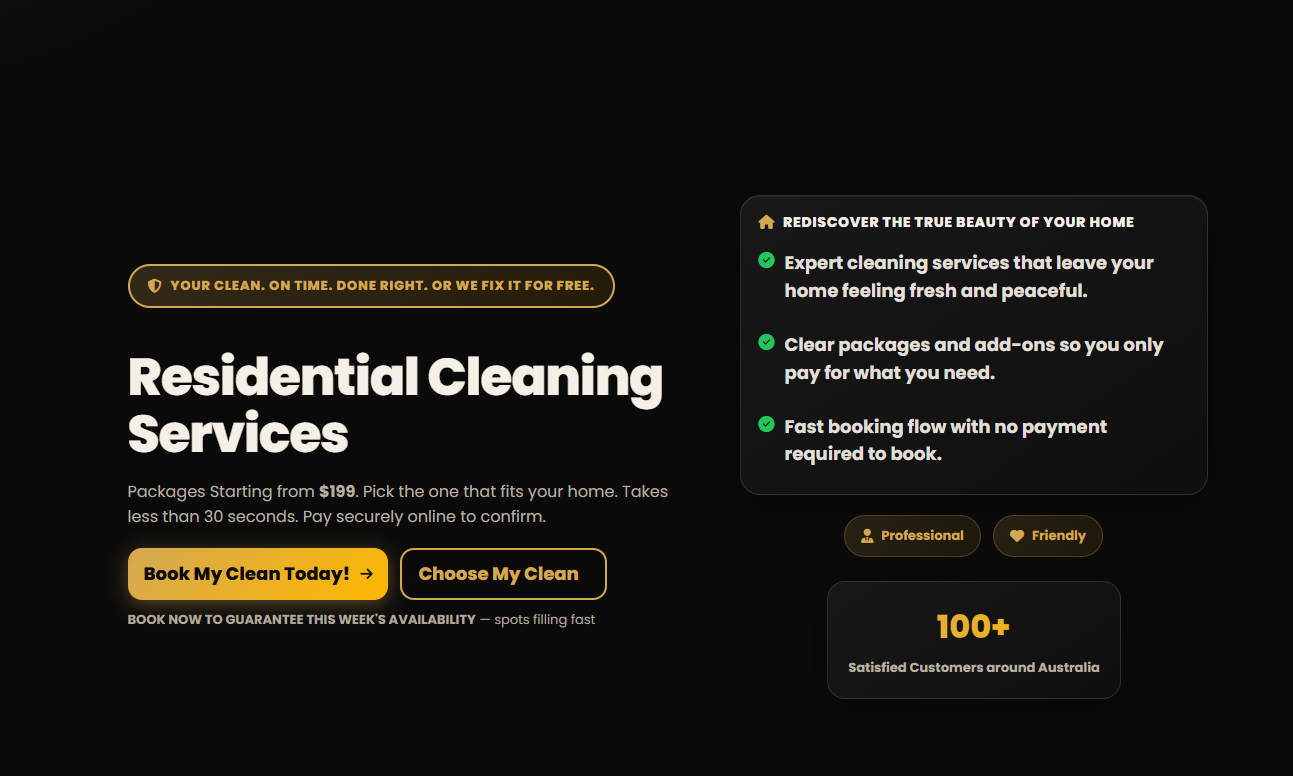
Public website — Residential Cleaning. Hero section: guarantee tagline, “Residential Cleaning Services,” packages from $199, Book My Clean / Choose My Clean, benefits list, 100+ Satisfied Customers.
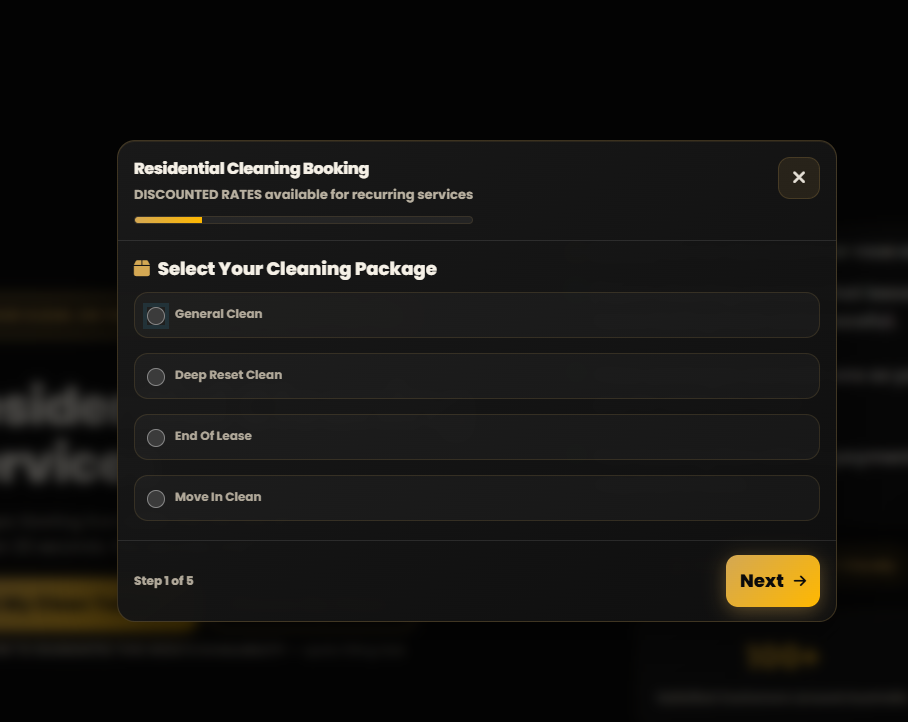
Public website — Booking. Residential Cleaning Booking modal, Step 1 of 5: Select Your Cleaning Package (General Clean, Deep Reset, End Of Lease, Move In). Next button.
Summary
You get a single, connected platform: the Admin Portal (Clean Control) for operations and reporting, and the Cleaner Application for field staff. Clients find you via the website; you manage everything in the admin; cleaners execute and document work in the app. Data flows in one direction with no duplication — so your business stays in control, compliant, and easy to scale.
For access details (URLs and login instructions) for your company, contact your MyCleanerAI account manager or support.
Contact us for training, access, or technical support.

Working Hours

Copyright © MyCleanerAI
Powered by MyCleanerAI